
Tool Reviews
The best website proofing tools in 2026
Client feedback on websites defaults to email.
Someone writes “the button doesn’t look right” and attaches a blurry screenshot from a phone. You spend twenty minutes guessing which button on which page in which breakpoint.
A good website proofing tool ends that loop. We tested seven of them on real client projects. Here’s what we found.

What separates a good website proofing tool from a bad one
Most tools in this category share the same headline feature: visual comments on a website. What separates them is everything underneath that headline.
Live site vs. screenshot
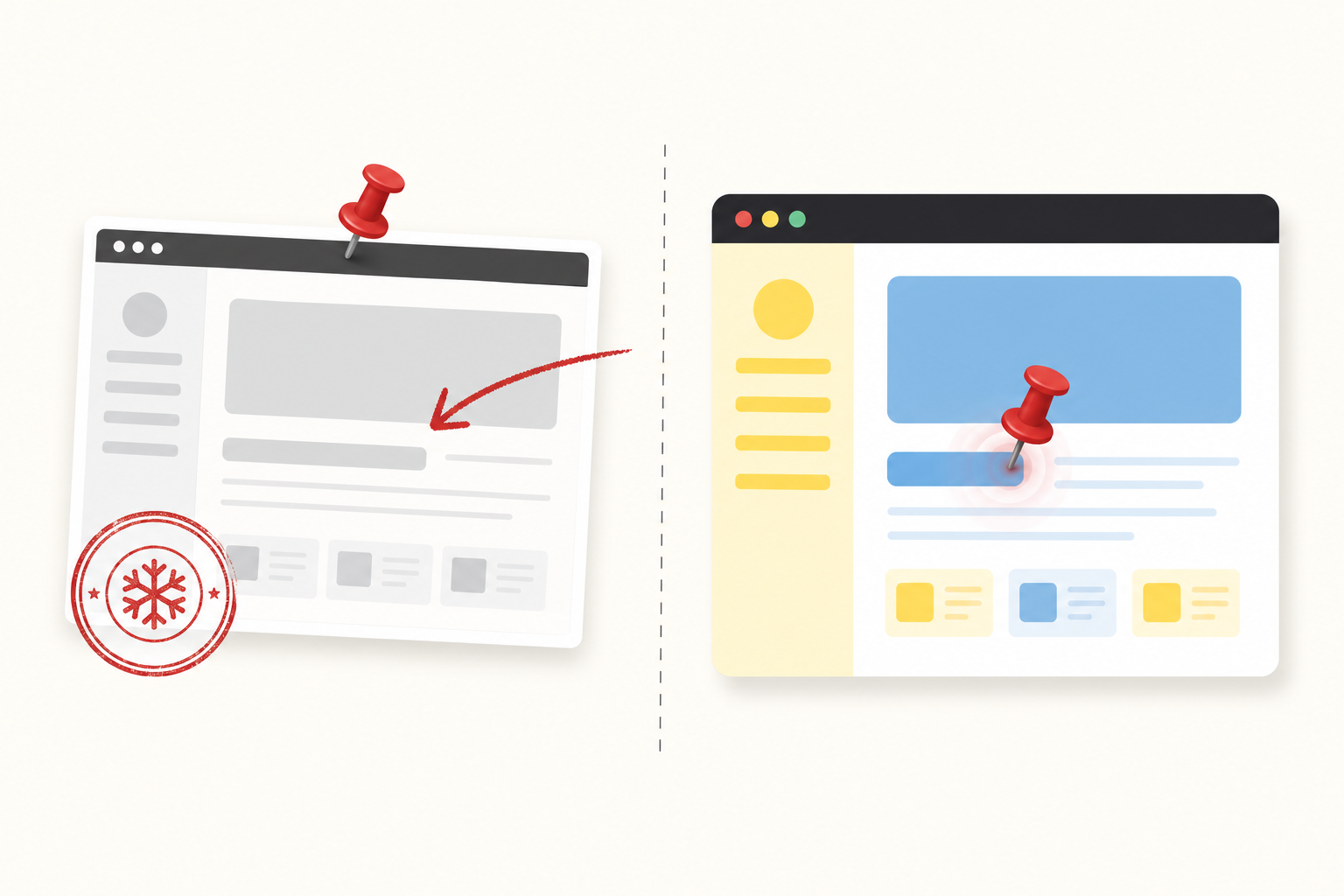
Some tools load your actual URL through a proxy. Others capture a screenshot and let you mark up the image. Screenshot tools become stale the moment you push a CSS change. Live proofing shows what the site actually looks like, right now.
No client account required
Anything that makes a client create a password is friction that kills participation. The best tools use a share link — the client opens it, types a name, and starts reviewing. Nothing else.
Viewport support
Desktop feedback and mobile feedback are different conversations. A tool that keeps them separate — each with their own pins — is far more useful than one that collapses everything into a single view.
Thread-based comments
A pin with no follow-up is just a dot on the screen. You need the ability to reply, resolve, and reopen comments as the work progresses through revisions.
The 7 best website proofing tools
1. Pin Feed — best overall
Pin Feed loads the live website through a reverse-proxy frame. Clients open a share link, type a name and email, and drop pins directly on whatever they want to flag.
No account. No install. No browser extension. The site stays live and interactive — sliders slide, dropdowns open, the cart still works — because it’s the actual site, not a screenshot of it.
Viewports are completely separate. A pin on the mobile header stays on mobile. It does not bleed into the desktop view. That alone removes a whole category of confusion that other tools never address.
What we liked: Fastest setup we tested. Paste a URL, share a link, done. Guest reviewing with no client account. Mobile, tablet, and desktop viewports with independent pins. Slack notifications for new comments.
What to know: Sites with aggressive CSP or X-Frame-Options headers may need a whitelist step. The support doc covers it in about 30 seconds for most hosts.
Pricing: Free for 3 projects, 500 MB, every feature. Pro is $49/mo or $39/mo billed yearly.
2. Pastel — best for freelancers
Pastel keeps things minimal. Paste a URL, share a canvas, and reviewers can pin comments on the live site. No client account required.
The free tier allows one active canvas at a time, which is tight for agency volume but workable for freelancers running one project at a time.
Pricing: Free (1 canvas), Starter $17/mo, Pro $49/mo.
3. Userback — best for mixed feedback types
Userback collects website feedback, session replays, and video comments from the same widget.
It installs as a JavaScript snippet on your site, which works well for internal dev teams but adds friction for external clients who are not expecting a floating button to appear on the page. Better fit for product teams than client review workflows.
Pricing: Startup $59/mo, Company $119/mo, Premium $217/mo.
4. MarkUp.io — best for screenshot proofing
MarkUp.io captures a screenshot of your URL and layers annotation tools on top of it. The review is frozen at the moment of capture.
Update the page and the screenshot does not update with it. For static designs or PDFs that’s fine. For live sites with active development, the stale-screenshot problem becomes a constant irritant.
The free plan was retired in 2022. Pro starts at $79/mo. See our full markup.io alternative breakdown if you are currently on MarkUp.io and looking to switch.
Pricing: Pro $79/mo. 30-day trial with credit card required.
5. Ruttl — best budget option
Ruttl loads live sites and supports guest commenting. Pricing is lower than most competitors, and the free plan covers one project with up to 10 comments.
The interface is more cluttered than Pastel or Pin Feed, and the mobile viewport tooling is limited. If budget is the main constraint and your projects are small, the math can still work.
Pricing: Free (1 project, 10 comments), Team $15/mo per seat.
6. Filestage — best for agency approval workflows
Filestage is built around multi-step review and approval flows. It handles websites, PDFs, images, and video from a single workspace.
That breadth makes it a reasonable hub for agencies running multiple content types across one client. The complexity is the cost — setup takes longer than the simpler tools, and pricing reflects the enterprise positioning.
Pricing: Basic $49/mo, Professional $249/mo, Enterprise custom.
7. PageProof — best for design file proofing
PageProof handles design files — Figma, Photoshop, PDFs, video — with a proofing workflow that includes version comparison and approval chains.
Website proofing is available but it is not the primary use case the tool was built around. Good choice if you are proofing deliverables across multiple file types and want a single platform rather than one tool per format.
Pricing: Starter $499/yr, Team $999/yr.

Which website proofing tool should you use?
Here is how to match the tool to the job:
Client-facing agencies and freelancers
Pin Feed or Pastel. Both load the live site and require no client account. Pin Feed wins on viewport support, Slack integration, and the ability to proof logged-in pages.
Internal dev and product teams
Userback. The widget model and session replay are built for teams who can install a script and want bug reports in their issue tracker.
Static designs and PDFs
MarkUp.io or PageProof. If you are not proofing a live site, the screenshot limitation does not apply and both tools handle static assets well.
Multi-content agency workflows
Filestage, if you need websites, PDFs, and video all reviewed inside one approval platform.
For most agencies managing live site reviews with clients, the combination of live-site loading, no client account, and viewport-specific pins makes Pin Feed the clear first choice.
You can read more about what separates the category in our guide to online proofing software.
If you are coming from a tool that is no longer working for you, our best website feedback tools roundup covers the broader category with head-to-head comparisons and full pricing breakdowns.
Frequently asked questions
- What is a website proofing tool?
- A website proofing tool lets clients and stakeholders leave visual feedback directly on a website before it goes live. Instead of screenshots in email chains or vague notes like “the header looks off,” reviewers click on the exact element they mean and leave a comment.
The best tools work on the live site rather than a captured screenshot, so the feedback reflects how the site actually behaves. - Do clients need to create an account?
- It depends on the tool. Pin Feed does not require any client account. Clients open a share link, type a name and email, and start leaving pins immediately.
Tools like BugHerd and Marker.io require a browser extension or script installed on the site first. Pastel and MarkUp.io also support guest review links with no account needed. - What is the difference between website proofing and screenshot annotation?
- Screenshot annotation tools capture a static image of a page and let you mark it up. Website proofing tools load the actual live site inside a review frame.
Live proofing shows real font rendering, actual animations, interactive elements, and every viewport size. Screenshot tools miss all of that and become outdated the moment the code changes. - Can website proofing tools handle mobile and tablet viewports?
- The better ones do. Pin Feed renders the site at desktop (1440px), tablet (768px), and mobile (375px) simultaneously, each keeping its own set of pins.
That means a client can pin feedback on the mobile nav without it appearing on the desktop view. Most screenshot-based tools capture only a desktop view and leave mobile feedback unaddressed. - Is there a free website proofing tool?
- Yes. Pin Feed’s free plan includes 3 projects, 500 MB of storage, and every feature with no time limit. Pastel has a free tier capped at one active canvas. Ruttl offers a free plan with one project and up to 10 comments.
MarkUp.io retired its free plan in 2022 and now requires a paid subscription starting at $79/mo. - Can website proofing tools annotate password-protected pages?
- Pin Feed loads the live site inside a proxy frame, so if a reviewer is logged in, they can proof logged-in states too.
Pages with aggressive CSP headers or iframe-blocking may require a quick whitelist adjustment. The Pin Feed support guide covers the 30-second fix most hosts need.
Stop screenshotting in Slack. Pin it.
Free for 3 projects. Your clients will think you built it.
Start free